**Note: latest version of Klippain requires an updated version of Klipper. Therefore it is not possible to achieve the installation of Klippain following the guide below.**
**Older version of Klippain 2.5.0 is also not working because of missing dependency on matplotlib==3.8.2 that cannot be installed on latest Qidi firmware (Jan 2024).**
**You can try to use the old version of Klippain 1.2.0** --- With those limitations in mind, continue on: No Prob. Go here and install everything: [https://github.com/Frix-x/klippain-shaketune/blob/main/install.sh](https://github.com/Frix-x/klippain-shaketune/blob/main/install.sh) [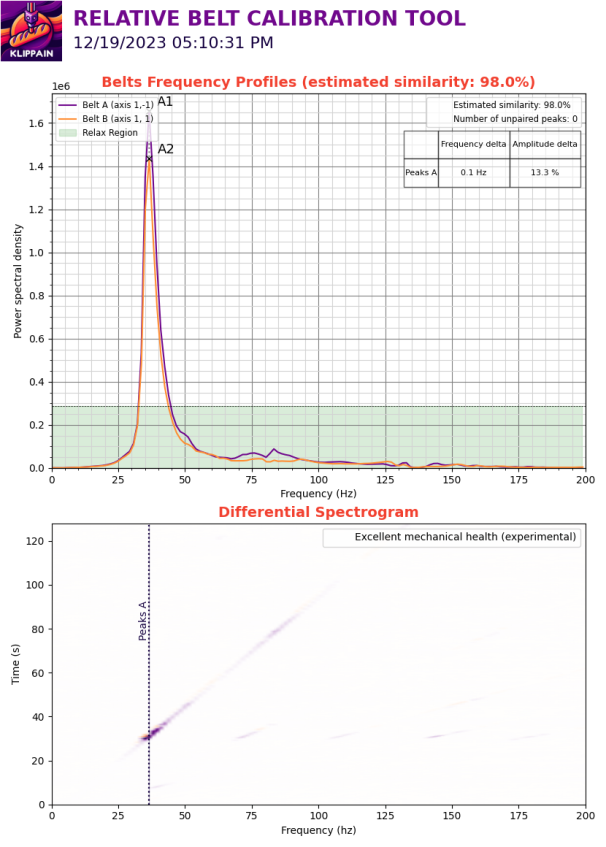](https://openqidi.com/uploads/images/gallery/2024-02/yW0Kn5MJerhT1o4P-image.png) ### Preparation Qidi uses old v10 Klipper in the stock configuration. This means you have problems and manually need to change pathways. Before you do anything set the system time correct via SSH! #### SSH: ssh mks@IP password: makerbase #### NTP install and useful alternatives to check out: apt install ntp and then dpkg-reconfigure tzdata to select timezone sudo date -s '2023-12-02 10:22:00' sudo ntpdate -s ntp.ubuntu.com (doesn't work) #### \_\_\_\_\_\_\_\_\_\_\_\_\_ https://klp1.com/issues/wrong-time/ Wrong system time & date - KLP1 Knowledge Base Fix wrong time and/or date that's showing in history, logs and console Wrong system time & date - KLP1 Knowledge Base if chrony doesn't autostart you can add a crontab line from root account @reboot /usr/sbin/chronyd Wrong system time & date SSH to the IP address of KLP1. Login with username root and password makerbase. Run command sudo dpkg-reconfigure tzdata and select your timezone. Time zone should now be set correctly, now you need to enable time syncing. Run sudo apt-get install chrony -y. This will uninstall ntp and install chrony, a service used to sync time.s Run timedatectl to check if the time and date are now properly synced. mks@mkspi:~$ timedatectl Local time: Fri 2023-11-17 21:56:55 CET Universal time: Fri 2023-11-17 20:56:55 UTC RTC time: Fri 2023-11-17 20:56:54 Time zone: Europe/Zagreb (CET, +0100) System clock synchronized: yes NTP service: inactive RTC in local TZ: no Comments #### Change pathways Qidi uses other paths for Klipper binaries and config in stock v10 Klipper. You simply need to adjust those paths used by all python scripts. Klipper config -> /home/mks/klipper\_config/ Klipper binaries -> /home/mks/klipper/ #### Copy commands: Copy Command to transfer stuff and generated graphs to your USB drive. cp cd /printer\_data/config/K-ShakeTune\_results/belts cd printer\_data/config/K-ShakeTune\_results/ cd /home/mks/gcode\_files/sda1 cp -r K-ShakeTune\_results /home/mks/gcode\_files/sda1/20231203 mks@mkspi:~/printer\_data/config/K-ShakeTune\_results/belts$ cp belts\_20231126\_053146.png /home/mks/gcode\_files/sda1/belts\_20231126\_053146.png